UX/UI Design: The Complete 2026 Guide
Key Takeaways
- UX/UI Design combines user experience (how a product feels) and user interface (how it looks) into one discipline.
- UI focuses on visual and interactive elements; UX covers the overall user journey and satisfaction.
- A research-driven process with wireframing, prototyping, and testing is critical for shipping products people actually use.
- As of 2026, generative AI is reshaping design workflows, enabling rapid prototyping and real-time personalization.
- Investing in good design can yield returns of up to 100x, according to Forrester research.
- Demand for skilled designers is high, with senior roles in North America commanding $120,000–$160,000+ annually.
UX/UI Design is the dual discipline of crafting user experiences (UX) and building the visual interfaces (UI) that deliver them. Done well, it makes digital products intuitive, accessible, and worth coming back to.
What Is UX/UI Design?
Defining the Discipline
UX/UI Design is the practice of integrating the functional experience of a product with its visual interface. According to design platform Figma, UI refers to the interactivity, look, and feel of a product screen, while UX covers a user’s overall experience with the product or website. UI is a specialized subset of UX: the layer users see and touch. UX is the underlying architecture that determines how they feel. Together, this discipline shapes every digital interaction, from mobile apps to enterprise software.
Why It Matters in 2026
The digital space in 2026 is more competitive than ever. Users expect frictionless, empathetic experiences, and they leave fast when they don’t get them. Research from Google shows that a significant majority of users won’t return to a mobile site they had trouble accessing, and many visit a competitor instead. Companies that invest in thoughtful design gain a real edge: McKinsey found that design-led companies outperform the S&P 500 by 219% over a 10-year period. In an era where AI can generate interfaces in seconds, human-centered design remains the differentiator between functional products and beloved ones.
“Effective user interface design brings together usability and interactive design to build an emotive connection between users and products.” – Hugo Raymond, Designer Advocate, Figma
The Difference Between UI and UX
UI in Focus
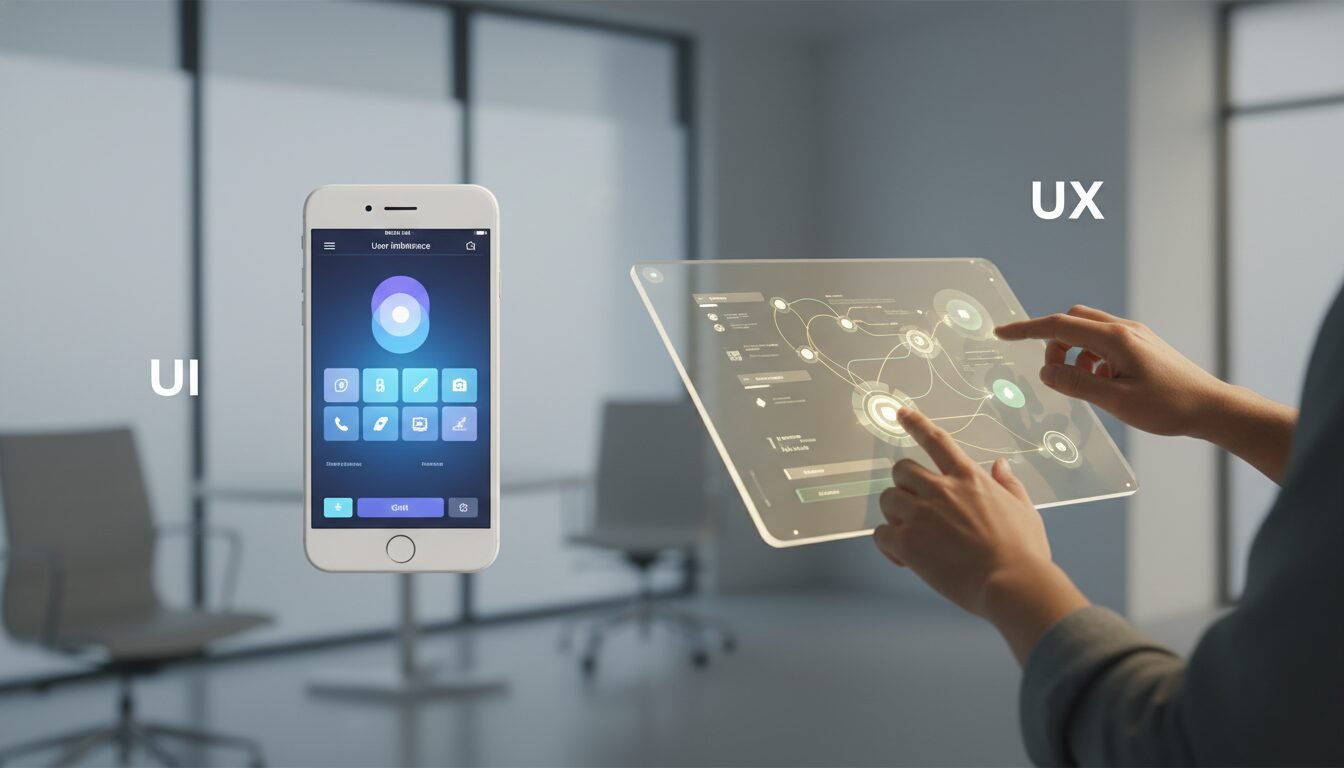
User Interface design is the creation of visually appealing and interactive elements. UI designers choose color schemes, typography, icons, button styles, spacing, and responsive layouts. Their goal is to make the interface aesthetically pleasing and instantly understandable. Strong UI follows brand guidelines and accessibility standards while delighting users through micro-interactions.
UX in Focus
User Experience design is the process of improving usability, accessibility, and overall satisfaction. UX designers conduct user research, map customer journeys, create personas, and test prototypes. They answer questions like: Can users complete tasks efficiently? Is the navigation intuitive? Does the product solve a real problem? Great UX often goes unnoticed. That’s the point.
How They Work Together
Despite their distinct roles, UI and UX are interdependent. A beautiful interface that confuses users fails on the experience side. A highly usable product with poor visual hierarchy fails on the interface side. The best work harmonizes both, creating products that are functional and genuinely enjoyable. The table below summarizes the key differences.
| Aspect | UI Design | UX Design |
|---|---|---|
| Focus | Visual and interactive elements: layout, colors, typography, animations | Overall user journey: research, usability, functionality, satisfaction |
| Main Deliverables | Style guides, mockups, high-fidelity prototypes, design systems | Personas, user flows, wireframes, information architecture, usability reports |
| Tools | Figma, Sketch, Adobe XD, Framer | Figma, Miro, Axure, Optimal Workshop |
| Skills | Visual design, typography, color theory, interaction design | User research, psychology, information architecture, prototyping |
| Goal | Make the interface aesthetically pleasing and easy to use | Solve user problems and create a frictionless experience |
Key Principles Every Designer Should Know
User-Centered Design
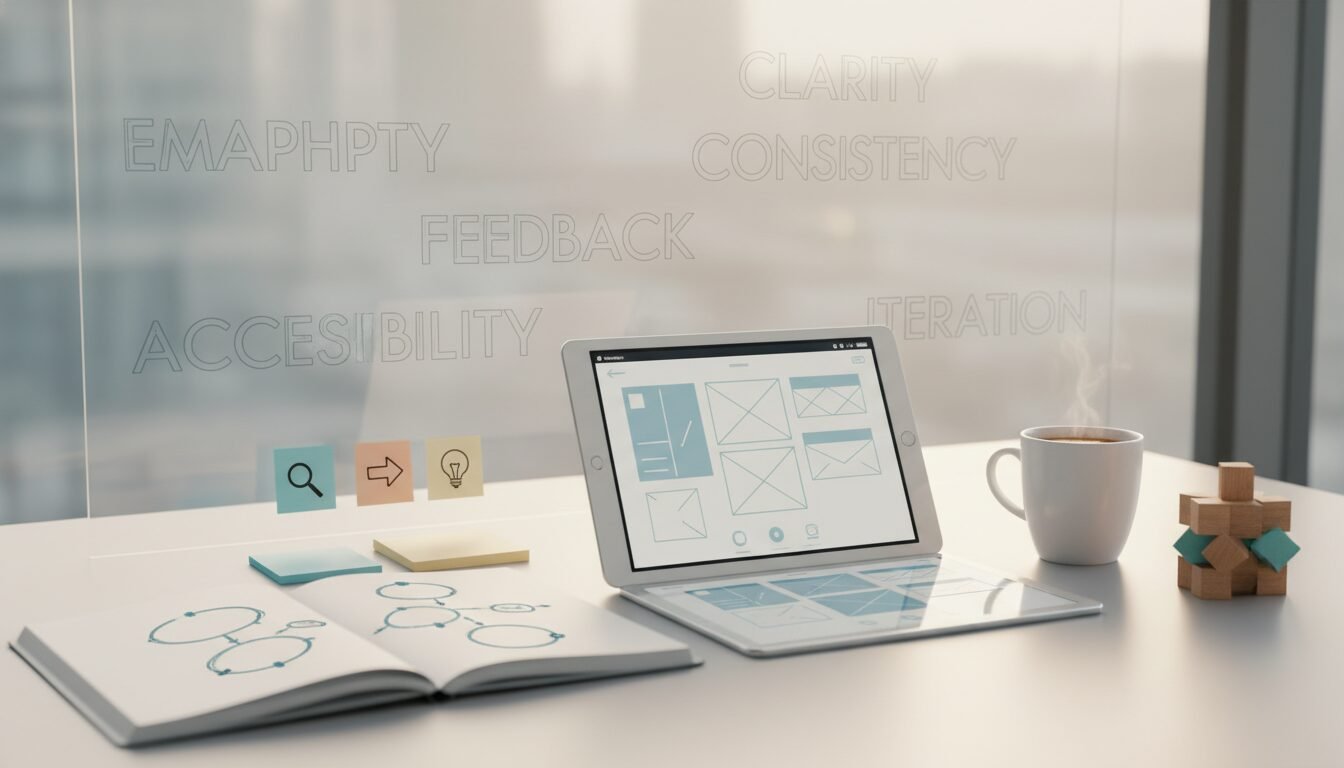
At the core of good product design is user-centered design (UCD). This iterative process places the user’s needs, wants, and limitations at the front of every decision. UCD demands continuous feedback loops: designers prototype, test with real users, refine, and repeat. Empathy isn’t optional. It’s the foundation.
Consistency and Accessibility
Consistency across screens and devices reduces cognitive load. Design systems like Google’s Material Design and Apple’s Human Interface Guidelines provide standardized components that teams can build on. Accessibility, governed by the Web Content Accessibility Guidelines (WCAG), ensures products work for people with disabilities. In 2026, inclusive design is both a legal and ethical imperative, with many jurisdictions actively enforcing accessibility laws.
Emotional Design
Don Norman’s emotional design framework teaches that users connect with products on three levels: visceral, behavioral, and reflective. Visceral design impacts first impressions; behavioral design focuses on usability and performance; reflective design ties to meaning and identity. Design that triggers positive emotions builds brand loyalty and long-term engagement. It’s the difference between a product people use and one they recommend.
Pros and Cons of Investing in UX/UI Design
Pros
- Direct revenue impact: A Forrester report found that every dollar spent on UX can yield up to $100 in return.
- Lower development costs: Fixing a usability issue in the design phase costs roughly 10x less than fixing it in development, and up to 100x less than fixing it post-launch.
- Higher retention: Intuitive experiences reduce churn and drive word-of-mouth. Net Promoter Scores typically climb after meaningful UX improvements.
- Competitive differentiation: McKinsey data shows design-led companies outperform the S&P 500 by 219% over a decade.
- Faster team alignment: Early-stage design thinking shortens time-to-market by aligning product, engineering, and business teams around validated concepts.
Cons
- Upfront time investment: Research, testing, and iteration cycles add weeks to a project timeline, which can feel slow in fast-moving startups.
- Requires skilled practitioners: Good design is hard to fake. Hiring experienced designers or agencies is a real cost, with senior roles starting at $120,000+ in North America.
- Difficult to measure short-term: ROI from UX improvements often shows up in retention and NPS over months, not days, making it harder to justify to stakeholders focused on immediate metrics.
- AI tools still need oversight: Generative AI can accelerate workflows but can also produce generic, biased, or inaccessible outputs without human review.
The Design Process: From Research to Launch
Step 1: Research and Discovery
Every successful project begins with research. Teams conduct user interviews, surveys, and competitive analysis. A SWOT analysis helps define the product niche. Outputs include user personas: detailed archetypes of target users, and empathy maps that capture pain points and motivations. Skipping this step is the fastest way to build something nobody wants.
Step 2: Information Architecture and Wireframing
Information architecture (IA) is the structural design of content. Designers create sitemaps and user flows to organize navigation and content hierarchy. Then they move to wireframes: low-fidelity layouts that outline screen elements without visual polish. This phase clarifies the skeleton of the product before anyone invests time in high-fidelity work.
Step 3: Prototyping and Testing
Prototypes range from clickable wireframes to fully interactive, high-fidelity models. Modern tools allow real-time collaboration between designers, developers, and stakeholders. Usability testing with 5–8 participants per round reliably uncovers friction points. This iterative cycle: prototype, test, refine, repeats until the product genuinely meets user needs.
Step 4: Visual Design and Handoff
Once the structure is validated, UI designers apply the visual layer: color systems, typography, iconography, spacing, and motion. Design tokens and component libraries in tools like Figma make developer handoff faster and more consistent. A well-documented design system can cut front-end build time by weeks on larger projects.
Step 5: Launch and Ongoing Iteration
Shipping is not the finish line. Post-launch, teams monitor analytics, run A/B tests, and collect user feedback to inform the next iteration. The best products are never truly finished. They evolve with their users.
Essential Tools for Modern Designers
Vector-Based Design Tools
Figma dominates the design landscape in 2026 with its browser-based, collaborative platform. Sketch and Adobe XD remain in use at many organizations, but Figma’s real-time co-editing, robust plugin ecosystem, and built-in prototyping have made it the industry standard. These tools enable detailed mockups and design tokens for scalable systems.
Prototyping and Collaboration Tools
Beyond pure design tools, platforms like Miro facilitate remote workshops and journey mapping. Axure RP suits complex, conditional logic prototyping. For user testing, Optimal Workshop offers card sorting and tree testing. This integrated stack streamlines the workflow from ideation to validation.
AI-Powered Design Assistants
2026 marks the maturation of generative AI in design workflows. Tools like Figma’s AI plugins, Uizard, and Galileo AI can auto-generate layouts, suggest color palettes, and write UI copy. AI accelerates the transition from sketch to prototype, freeing designers to focus on strategic and creative problem-solving rather than repetitive pixel work. I’ve seen teams cut early prototyping time from days to hours using these tools.
AI and Automation: What’s Actually Changing in 2026
Generative AI for Rapid Prototyping
Generative AI can convert text prompts into wireframes or high-fidelity screens in seconds. This dramatically reduces the time from concept to testable prototype. That said, AI outputs still require human oversight. The technology can mimic patterns but cannot understand nuanced user needs. The most effective teams pair AI speed with human empathy, and that combination is genuinely powerful.
Personalization at Scale
AI-driven personalization now tailors interfaces in real time based on user behavior, context, and preferences. From adaptive navigation to dynamically prioritized content, machine learning creates bespoke experiences at a scale no human design team could manage manually. This increases engagement and conversion, particularly in e-commerce and SaaS products where user intent varies widely.
Ethical Considerations in AI-Driven Design
As AI integrates into design workflows, real ethical challenges emerge. Over-reliance on automation can homogenize interfaces, suppress creativity, and introduce bias, especially when training data doesn’t reflect diverse user populations. Designers must ensure AI tools augment rather than replace critical thinking. Transparency, data privacy, and inclusive data sets are non-negotiable pillars of responsible AI-driven design.
“The risk isn’t that AI replaces designers. The risk is that designers who use AI replace those who don’t.” – A widely shared perspective in the design community, reflecting the consensus from discussions on platforms like Hacker News and the IDEO design blog.
Measuring the ROI of Good Design
Conversion and Revenue Impact
Investing in strong design pays off in measurable ways. A Forrester report found that every dollar spent on UX yields up to $100 in return. Well-designed interfaces can boost conversion rates meaningfully, and superior experience design can push those gains even further. Amazon found that a 100-millisecond delay in page load cost them roughly 1% in sales. Speed and usability are directly tied to revenue.
Customer Satisfaction and Retention
Thoughtful design reduces churn. When users encounter confusing navigation or slow load times, they leave and often don’t come back. Conversely, intuitive experiences drive loyalty and word-of-mouth referrals. Net Promoter Scores consistently climb after meaningful UX improvements, and that translates directly to lower customer acquisition costs over time.
Reducing Development Costs
Fixing a usability issue in development costs roughly 10 times more than catching it in the design phase, and up to 100 times more after launch. By investing in rigorous testing and iteration upfront, companies avoid expensive rework. Early-stage design thinking also shortens time-to-market by aligning teams around validated concepts before a single line of code is written.
Careers in This Field: Salaries and Skills
Job Roles and Responsibilities
The field offers diverse roles: UX researcher, interaction designer, UI designer, product designer, and UX writer. Specialists often collaborate within larger product teams. In 2026, demand for hybrid profiles who can handle both research and visual design continues to grow, particularly at startups where headcount is lean and versatility is valued.
Salary Expectations in 2026
Based on industry surveys, entry-level positions in North America start around $65,000–$85,000, while senior roles command $120,000–$160,000+ annually. Freelance rates range from $50–$150 per hour depending on specialization and client type. Regional variations exist, but the global trend shows upward salary momentum driven by persistent demand and a relatively shallow talent pool.
How to Break Into the Field
Aspiring designers can follow a structured path. The Coursera UI/UX Design Specialization from CalArts, rated 4.7 stars from over 8,000 reviews, reports that 91% of learners achieve positive career outcomes. It covers four courses spanning research, information architecture, wireframing, and prototyping. Building a strong portfolio with real-world projects remains the single most effective way to land a role in this field. Platforms like Dribbble are widely used for both inspiration and showcasing work to potential employers.
A Self-Learning Roadmap
If you prefer a self-directed path, here’s how most practitioners structure it. Start with design fundamentals: color theory, typography, and layout principles. Then learn Figma through free tutorials on Figma’s own resource library. Move into UX concepts: user research methods, journey mapping, and information architecture. Build 3–5 case study projects that show your process, not just your final screens. Then engage with communities on Reddit’s r/UXDesign and Dribbble to get feedback and stay current. The whole sequence, done consistently, takes most people 6–12 months to reach a hireable level.
Frequently Asked Questions
What is the difference between UI and UX design?
UI design focuses on the visual and interactive elements users see on a screen, such as buttons, colors, and layout. UX design encompasses the entire user journey, ensuring the product is useful, easy to navigate, and solves a real problem. Both disciplines are essential and work best when practiced together.
How much does a UX/UI designer earn in 2026?
Salaries vary by location and experience, but entry-level roles in North America start around $65,000–$85,000, and senior roles can exceed $160,000 annually. Freelance rates range from $50 to $150 per hour depending on specialization.
What tools do UX/UI designers use?
Figma is the dominant tool for interface design and prototyping as of 2026. Other popular options include Sketch, Adobe XD, Miro for collaboration, and AI-powered assistants like Uizard and Galileo AI. User testing platforms like Optimal Workshop are also widely used.
Is coding required for UX/UI design?
Generally, no. Most practitioners do not write production code. Basic knowledge of HTML and CSS can help with developer communication, but design thinking, research skills, and visual craft are the core requirements for the role.
How can I learn UX/UI design online?
Structured programs like the CalArts specialization on Coursera provide a solid foundation, with 91% of learners reporting positive career outcomes. Free resources on Figma’s resource library, YouTube, and design communities like Dribbble also support self-paced learning. The key is to practice through real projects and build a portfolio that shows your process.
Why is UX/UI design important for business?
Good design directly impacts revenue and retention. Per Forrester research, every dollar invested in UX can yield up to $100 in return. It also reduces long-term development costs by catching usability issues early, before they become expensive engineering problems.
If you’re building a product and want to think through how design strategy fits into your broader roadmap, connect with me. I’m always up for a direct conversation about what actually works.
Enjoyed this article?
Connect with me for collaboration, ventures, or just a good conversation about building things.
Get in Touch