Motion Graphics: The Complete 2026 Guide
Motion graphics are digital animations that combine text, shapes, and visual elements with movement to convey information or tell a story. I’ve used them in product launches, pitch decks, and brand campaigns. They’re one of the highest-leverage visual tools a founder can understand.
Key Takeaways
- Motion graphics combine text, shapes, and visual elements with movement to convey information, a discipline that emerged in the mid-20th century.
- Jitter offers 300+ free templates, while Powtoon provides hundreds of ready-made options, accelerating production for beginners and pros alike.
- Platforms like Magnific now serve over 1 million subscribers, showing the massive commercial demand for motion graphics assets.
- A clear 5-step process lets anyone create professional motion graphics videos without deep technical skills.
- Exporting in 4K resolution (3840 x 2160 pixels) future-proofs your content against HD quality limitations.
- AI tools like Runway ML and Pika Labs now generate entire motion sequences from text prompts, cutting production time dramatically.
What Are Motion Graphics?
Motion graphics are animated graphic design elements, including typography, icons, and abstract shapes, that move through time to communicate ideas. Unlike full character animation, they focus on design principles in motion rather than narrative storytelling with characters. You’ll find them in commercials, explainer videos, app interfaces, and title sequences.
“Motion graphics are essentially ‘graphics with movement.'” — Adobe
The term distinguishes static designs from those that transform over time, without specifying the exact form. While any abstract animation can technically qualify, the label typically refers to commercial applications in video, film, TV, and interactive media. They’re usually paired with audio for multimedia projects and displayed via electronic screens, though early mechanical devices like the zoetrope created a similar illusion centuries earlier.
The Core Definition
A motion graphic is not a full animated film with characters and a plot. It’s a shorter piece that entertains or informs through moving typography, icons, and illustrations. 3D motion graphics are especially prominent in advertising, where bold visuals grab attention in seconds. The field sits at the intersection of graphic design and animation, requiring both aesthetic sensibility and timing skills.
Why the Term Matters
Understanding what motion graphics are helps creatives and clients communicate clearly. When a project calls for animated charts in a corporate video, that’s motion graphics. When it needs a Pixar-style short, that’s character animation. This distinction guides tool selection, budgeting, and talent hiring. As researcher Michael Betancourt noted in his historical survey, the roots lie in experimental abstract films of the 1920s, a lineage that still influences today’s minimalist trends.
Pros and Cons of Motion Graphics
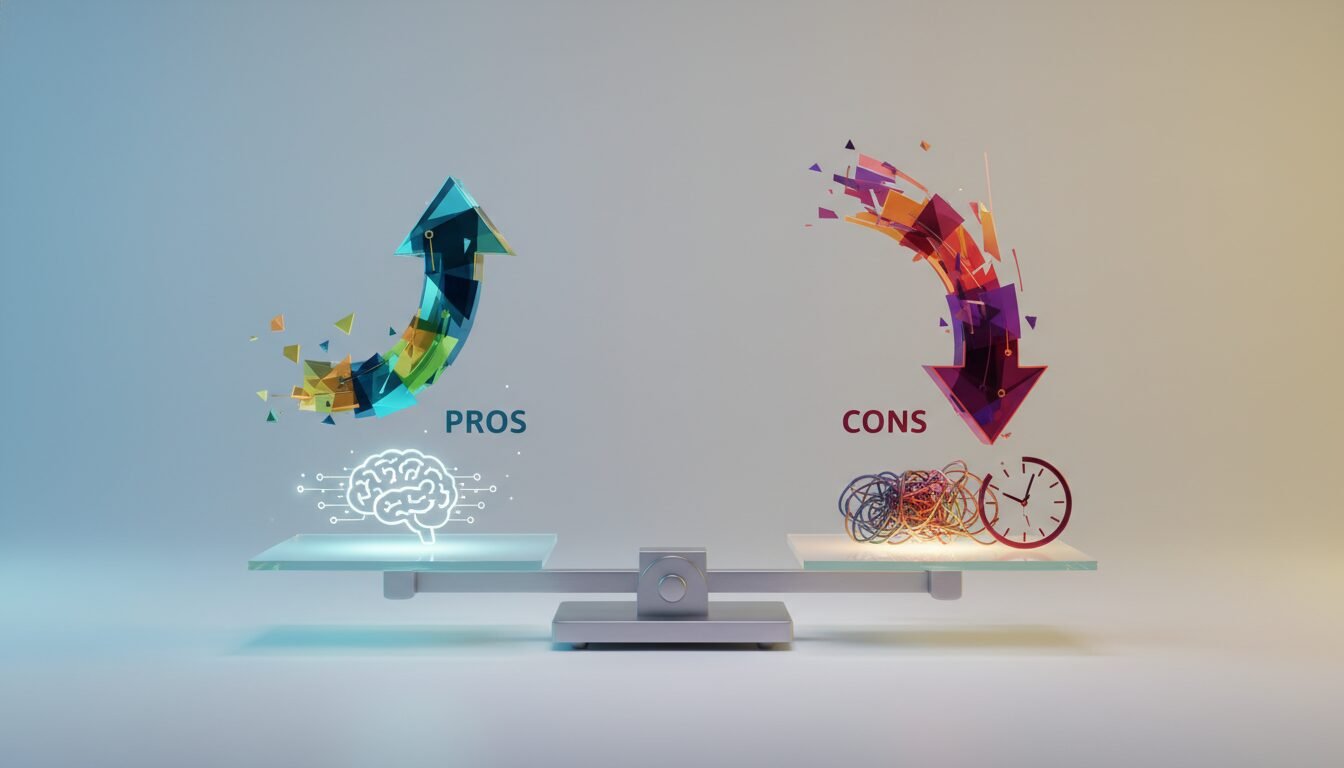
Motion graphics offer real advantages for brands and creators, but they come with trade-offs worth knowing before you commit budget or time.
Pros
- Fast to produce at scale: Template-based projects can go from concept to export in hours, not weeks.
- Highly versatile: Works across social media, broadcast, web UX, retail signage, and pitch decks.
- Lower cost than live video: No crew, location, or talent fees for most projects.
- AI acceleration: Tools like Runway ML and Magnific’s AI generator now cut production time further.
- Brand consistency: Animated design systems keep visual identity tight across every touchpoint.
Cons
- Learning curve for custom work: Adobe After Effects takes real time to master, especially for 3D compositing.
- Template fatigue: Overused templates can make your brand look generic if you don’t customize aggressively.
- File size and rendering time: 4K exports and complex compositions demand serious hardware or cloud rendering budgets.
- Licensing complexity: Commercial use rights vary by platform, and missing the fine print can create legal exposure.
From Film Titles to Digital: The Evolution of Motion Graphics
Motion graphics trace their origins to cinema’s golden age, but the story really accelerates with post-war Hollywood. After World War II, graphic designers like Saul Bass pioneered bold, colorful title sequences that did more than list cast and crew. They set the mood for the entire film. Bass’s work on The Seven Year Itch (1955) and North by Northwest (1959) remains iconic decades later.
“Motion graphics (sometimes mograph) are pieces of animation or digital footage that create the illusion of motion or rotation, and are usually combined with audio.” — Wikipedia
The Mid-Century Masters
During the 1960s and 1970s, designers like Pablo Ferro pushed boundaries further. His split-screen techniques for Dr. Strangelove (1964) and the kinetic typography in The Thomas Crown Affair (1968) showed how motion could become a narrative device. These experiments laid the groundwork for the digital revolution that followed.
The Digital Revolution
The arrival of the Apple Mac in the early 1980s changed everything. For the first time, independent designers could create title sequences without Hollywood budgets. Though the technology looks primitive today, it was a creative earthquake compared to the photochemical methods of previous decades. As software like Adobe After Effects and Premiere matured through the 1990s and 2000s, the discipline exploded into television, advertising, and eventually social media.
Streaming and Social Media Eras
Today, Netflix and HBO series commission opening credits that rival cinema quality. Meanwhile, platforms like Instagram and TikTok have turned motion graphics into a daily language for memes, ads, and brand storytelling. The low barrier to entry has spawned a massive template economy: Jitter alone hosts over 300 free templates, and the broader market on Envato Elements and Motion Array serves hundreds of thousands of creators monthly.
Where Motion Graphics Shine: Applications Across Industries
Motion graphics are no longer confined to movie theaters. They permeate nearly every screen-based medium, often working so smoothly that viewers don’t even notice them. That invisible quality is actually a sign they’re doing their job.
Film and Television
Opening credits remain a primary showcase, but the use extends far beyond. Lower-thirds during news broadcasts, election-night data visualizations, and reality show transitions all rely on motion design. Networks like CNN and BBC invest heavily in broadcast design packages that maintain brand consistency through animated elements.
Advertising and Marketing
Digital ads on YouTube, Instagram, and connected TV depend on motion graphics to stop the scroll. A 30-second explainer video using animated icons can boost conversion rates significantly compared to static alternatives. According to Magnific, over 1 million subscribers now access motion graphics assets monthly, showing the scale of commercial demand. From app-store previews to large-scale out-of-home screens in Times Square, motion brings static messages to life.
User Experience and Product Design
Micro-interactions on websites, including button hover effects, loading spinners, and page transitions, are all forms of motion graphics. Companies like Google and Apple use these subtle animations to make interfaces feel responsive and human. Educational apps use motion graphics to illustrate complex concepts, from math problems to biological processes, making learning more engaging for users of all ages.
Motion Graphics Software and Tools
Creating motion graphics requires specialized software that lets designers animate over time. The landscape ranges from professional-grade suites to accessible web-based makers, each suited for different skill levels and budgets.
Industry-Standard Applications
Adobe After Effects remains the foundation for professional motion graphics design. Paired with other Adobe Creative Cloud apps like Illustrator and Photoshop, it offers a complete ecosystem for vector animation, compositing, and visual effects. Cinema 4D is often used alongside After Effects for 3D work, while Houdini handles more complex simulations. For pure 2D vector animation, tools like Adobe Animate and Figma with plugins are gaining real traction in 2026.
Web-Based and Freemium Alternatives
Not everyone needs a steep learning curve. Platforms like Jitter and Powtoon bring motion graphics creation to the browser. Jitter’s template library includes 300+ free options, with exports to 4K, GIF, and Lottie formats that cover most modern needs. Powtoon focuses on marketing and explainer videos, offering hundreds of professionally designed templates that can be customized in a few clicks. Both are free to start and require no technical background.
AI-Powered and Asset Platforms
As of 2026, AI is reshaping the toolbox fast. Magnific not only hosts a massive video asset library but also offers an AI video generator that creates clips from text prompts. Tools like Runway ML and Pika Labs push further, generating entire motion graphic sequences from natural language descriptions. Template marketplaces like Motion Array and Envato Elements continue supplying ready-to-use lower-thirds, transitions, and logo stings for creators who prefer working inside traditional editors.
How to Create Motion Graphics: A Step-by-Step Guide
Even with zero animation experience, you can produce a professional motion graphic by following a clear process. Here’s a streamlined approach based on platforms like Powtoon, which structures creation into 5 simple steps.
Step 1: Plan Your Concept
Start with a script or storyboard. Decide on the key message, the visual style (2D, 3D, or mixed-media), and the overall feel. Will it be corporate, playful, or edgy? Sketch rough frames or collect a mood board of references from sites like Behance. Clarity here saves hours of rework later.
Step 2: Choose Your Tool
Select software that matches your skill level and output needs. Beginners should pick Powtoon or Jitter for template-driven speed. Intermediate users can try Adobe After Effects with community templates. Professionals often combine After Effects with Cinema 4D. Consider export requirements: if you need Lottie for web animation, confirm the tool supports it before you start building.
Step 3: Build or Customize a Template
If using a template platform, browse the library and pick a design that aligns with your brand. Replace placeholder text and images with your own content. Adjust colors to match your palette. In Jitter, you can edit everything in real-time right in the browser. In After Effects, templates arrive as .aep files with customizable comps you can swap out in minutes.
Step 4: Animate and Refine
Add motion to static elements. Keyframe properties like position, scale, opacity, and rotation. Use easing to make movement feel natural rather than mechanical. Incorporate audio: music tracks and sound effects elevate the final piece significantly. Most tools include royalty-free audio libraries. Preview often and iterate. YouTube creator Premiere Gal’s tutorial on time-crunch motion graphics, which has accumulated 22,000 views, recommends pre-comping layers, using expressions, and never underestimating simple fades.
Step 5: Export and Distribute
Render your project in the required format. MP4 (H.264) is standard for video platforms. 4K resolution (3840 x 2160 pixels) is increasingly expected for professional work. Export a GIF for social loops or a Lottie JSON for web animations. Upload directly to YouTube, Vimeo, or your company website. Save the editable file so you can make updates without starting over.
Using Motion Graphics Templates to Speed Up Production
Templates have democratized motion design, enabling marketers, small business owners, and content creators to produce high-quality animations without hiring a specialist. They’re pre-built, customizable project files you simply drop your assets into.
Why Templates Work
A template provides a solid starting point: transitions, typography, and pacing are already solved. This can cut production time by half or more compared to building from scratch. With Jitter offering 300+ free templates and Powtoon providing hundreds more, there’s a starting point for nearly every use case, from social media ads to corporate presentations. Many marketplaces also offer premium options with more advanced 3D compositing for projects that need it.
Commercial Usage and Licensing
A common question is whether you can use templates in client work. The answer varies. Jitter’s free templates are cleared for commercial use, though higher-resolution exports and extra formats may require a paid plan. Powtoon’s terms allow commercial use with an active subscription. Always review the license agreement before delivering to a client. For Adobe After Effects templates, items from Envato Elements come with a lifetime commercial license once purchased. Most modern platforms simplify rights to encourage widespread usage, but the fine print still matters.
Customization Best Practices
Even with a template, avoid the generic look. Change the color scheme to match brand guidelines. Swap placeholder footage with original photos or videos. Tweak animation timing to fit your voiceover rhythm. A template should be a canvas, not a crutch. Tools like Jitter even allow importing designs directly from Figma, linking your existing brand kit to motion without extra steps.
The Future of Motion Graphics: AI and Automation
Artificial intelligence is the most disruptive force in motion graphics since the digital shift of the 1980s. By 2026, AI-powered tools have moved from novelty to necessity, generating entire animations from text descriptions and streamlining tedious tasks like rotoscoping and inbetweening.
Text-to-Motion and Generative AI
Platforms like Magnific’s AI Video Generator and emerging startups let users type a prompt and receive a ready-to-edit motion graphic clip. This reduces the skill barrier further. Premiere Gal’s YouTube tutorial on time-crunch motion graphics garnered 22,000 views, showing the demand for fast, efficient workflows. AI is answering that call, not by replacing designers but by giving them real leverage on output volume.
Automated Asset Generation and Upscaling
AI upscaling tools can turn low-resolution assets into 4K in seconds. Neural networks automatically color-match imported footage to a project’s palette, suggest transitions, or generate sound effects. These automations shift the designer’s role from technician to creative director, focusing more on story and emotion than on repetitive technical tasks.
Ethical and Creative Considerations
As AI learns from existing work, licensing and originality debates have intensified across the industry. Leading studios now use only proprietary data to train their models. The motion graphics community on Reddit r/motiongraphics actively discusses these topics. Most practitioners agree that AI will not make motion designers obsolete. Instead, it will raise the baseline, letting professionals tackle more ambitious projects than they could before.
Motion Graphics vs. Traditional Animation: Key Differences
Motion graphics and traditional animation both involve moving images, but they serve distinct purposes and require different skill sets. Understanding the difference helps clients brief projects correctly and helps creatives choose the right career path.
| Feature | Motion Graphics | Traditional Animation |
|---|---|---|
| Primary Focus | Graphic design elements (typography, shapes) | Character expression and narrative storytelling |
| Typical Duration | Seconds to a few minutes (ads, intros) | Minutes to feature-length (films, series) |
| Software | After Effects, Cinema 4D, Jitter | Toon Boom, Maya, Blender |
| Core Skills | Design principles, timing, compositing | Figure drawing, acting, physics of motion |
| Output Formats | MP4, GIF, Lottie | MOV, image sequences |
| Production Speed | Template-based projects can finish in hours | Frame-by-frame labor can take months |
When to Use Each
Choose motion graphics when you need to visualize data, explain a product, or create a branded intro. They excel at abstract concepts. Choose traditional animation when you need emotional storytelling with characters, like a children’s book adaptation. Some projects blend both: a character walking through an animated infographic, for instance. Even then, the motion graphics portion handles the background and UI elements.
Convergence in Modern Media
The line between the two disciplines is blurring. Mixed-media approaches combine live-action footage with animated overlays, a hallmark of modern explainer videos. As tools like Blender and After Effects add more AI-assisted features, the distinction matters less than the outcome: effective communication through motion.
Getting Started: Career and Learning Paths
Motion graphics is one of the more accessible creative disciplines to enter in 2026, especially with the volume of free resources available. That said, the path from beginner to professional still takes deliberate practice.
Where to Learn
School of Motion remains one of the most respected paid programs for aspiring motion designers, with structured courses covering After Effects, Cinema 4D, and design fundamentals. Free alternatives include YouTube channels like Premiere Gal and Motion Science, plus the extensive tutorial libraries inside Jitter and Powtoon. Most professionals recommend spending at least 3 to 6 months on fundamentals before taking on paid client work.
Building a Portfolio
Post work on Behance and the r/motiongraphics community early and often. Feedback from practitioners accelerates improvement faster than solo practice. Start with template customizations, then graduate to original projects. A portfolio of 8 to 12 strong pieces is typically enough to land a first freelance contract or junior role at a studio.
Freelance vs. In-House
Freelance motion designers can charge anywhere from a few hundred dollars for a simple logo animation to several thousand for a full explainer video package. In-house roles at agencies or tech companies offer stability and access to larger budgets and more complex projects. Many practitioners do both early in their careers to build financial runway while developing their craft.
Frequently Asked Questions
What are motion graphics used for?
Motion graphics are used in film title sequences, TV news graphics, advertising, social media content, website UX, and retail digital signage. They convey information or enhance entertainment through moving design elements, making them one of the most versatile visual formats available.
How do I get started with motion graphics templates?
Visit a platform like Jitter or Powtoon, choose a template, replace placeholder media with your own content, adjust colors, and export. No prior animation experience is necessary, as these tools are designed for intuitive editing with minimal setup time.
Can I use motion graphics templates for commercial projects?
Yes, most platforms allow commercial use. Jitter’s free templates are cleared for commercial work, though higher resolutions may require a paid plan. Always check the specific license of each asset before using it in a client deliverable.
What software is best for creating motion graphics?
Professional designers typically use Adobe After Effects for 2D work and Cinema 4D for 3D. Beginners can start with web-based tools like Jitter or Powtoon, which require no installation. The best choice depends on project complexity and your existing skill level.
How do motion graphics differ from traditional animation?
Motion graphics focus on moving graphic design elements like typography, shapes, and icons, and are typically shorter in duration. Traditional animation centers on character performance and storytelling. The comparison table above covers the key differences in detail.
How is AI changing motion graphics in 2026?
AI now generates motion graphics from text prompts, automates tasks like rotoscoping, and upscales low-resolution assets to 4K. It reduces production time significantly and makes motion design more accessible to non-specialists, though human creative direction remains essential for quality output.
Enjoyed this article?
Connect with me for collaboration, ventures, or just a good conversation about building things.
Get in Touch