Build a Digital Portfolio That Gets You Hired

A digital portfolio is an online collection of your best work, skills, and achievements that proves your capabilities to employers, clients, or academic institutions far more effectively than a résumé ever could.
Key Takeaways
- A portfolio is your professional narrative, blending projects, testimonials, and personal branding into one compelling package.
- Platforms like Canva, Adobe Portfolio, and Google Sites have made portfolio creation free or low-cost and accessible to everyone.
- Strategic curation, mobile responsiveness, and regular updates drive significantly higher viewer engagement compared to static portfolios.
- AI-powered tools and analytics are transforming how portfolios are built, tracked, and optimized in 2026 and beyond.
- Copyright awareness and platform privacy controls are non-negotiable before you publish any client or academic work.
What Is a Digital Portfolio?
A this type of portfolio is an electronic compilation of artifacts that demonstrates your learning journey, professional growth, or creative output over time. Unlike a traditional résumé, it can include images, videos, writing samples, presentations, and interactive elements, all hosted on a platform accessible 24/7 from anywhere in the world.
The Evolution from Physical to Digital
Before the internet, portfolios were leather-bound books or slide carousels that had to be physically mailed or presented in person. According to Canva, the shift to digital means your portfolio can now be as creative and interactive as you like, from a multi-page website to a single Instagram profile. This flexibility has democratized showcasing work, making it easier for everyone from high school students to seasoned freelancers to prove their competence instantly.
Types of Digital Portfolios
There is no one-size-fits-all approach. The most common types include:
- Student Portfolios – Often used in K-12 and higher education to document learning, reflect on progress, and meet graduation requirements. The AP this kind of portfolio enables College Board students to submit artwork, research, or computer science projects for scoring.
- Professional Portfolios – Aimed at job seekers and career changers, these focus on work samples, case studies, and measurable results to attract employers. Adobe Portfolio, Wix, and WordPress are go-to platforms for business and tech professionals.
- Creative Portfolios – Photographers, designers, writers, and artists use visually rich layouts to display their aesthetic. Adobe Portfolio and Canva dominate this space with their deep integration of visual assets and typography.
- Freelancer Portfolios – Often a hybrid of the above, focusing on results and client testimonials to convert visitors into paying clients. Most successful freelancers I know treat their portfolio as their primary sales page, not an afterthought.
Key Components of a Successful Digital Portfolio
Regardless of the type, every winning digital contains:
- A clear headline and personal introduction
- Carefully selected, high-quality work samples
- Context for each piece: what you did, why, and the outcome
- Client or instructor testimonials when available
- Contact information and social proof (links to LinkedIn, GitHub, etc.)
- A responsive design that looks great on mobile devices
Pros and Cons of Building a Digital Portfolio
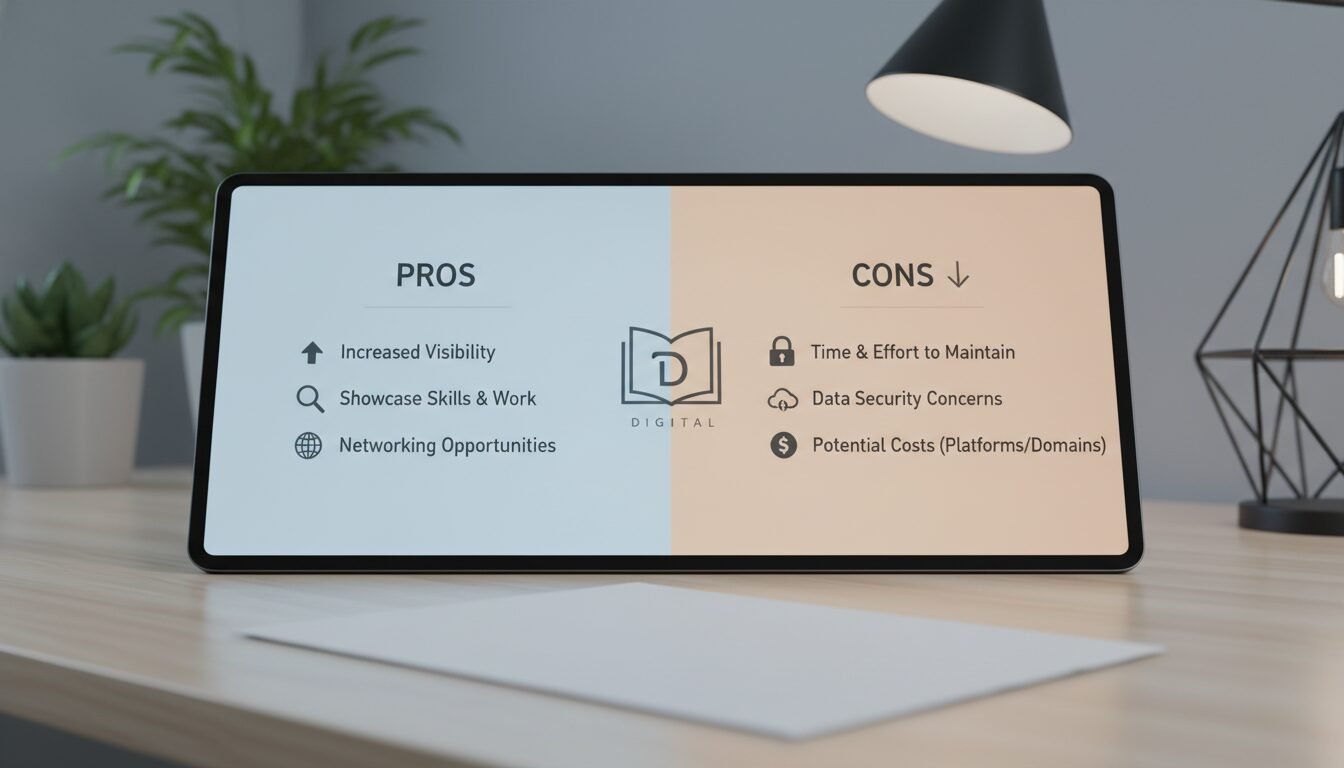
A portfolio offers real advantages over traditional application materials, but it also comes with trade-offs worth understanding before you commit to a platform or approach.
Pros
- Always accessible: Employers and clients can review your work at any hour, from any device, without scheduling a meeting.
- Richer storytelling: Video, interactive prototypes, and case studies communicate depth that a résumé bullet point never can.
- Low barrier to entry: Platforms like Google Sites and Canva are free, meaning a polished portfolio costs nothing but time.
- SEO visibility: A well-optimized portfolio can surface in search results, bringing inbound opportunities you never had to chase.
- Easy to update: Swap out dated work, add new achievements, and refresh your bio in minutes rather than reprinting documents.
Cons
- Maintenance overhead: A stale portfolio signals disengagement. Keeping it current requires a recurring time commitment.
- Copyright complexity: Client work, academic projects, and licensed assets all carry usage restrictions you must navigate before publishing.
- Platform dependency: If a free platform shuts down or changes its pricing, your portfolio can disappear overnight without a backup plan.
- Privacy exposure: Publishing work online means anyone can find it. Password protection and privacy settings are essential for sensitive material.
Why You Need a Digital Portfolio in 2026
“As a business strategist who has hired dozens of creatives and developers, I can attest that a well-curated this type of portfolio reveals more about a candidate’s professionalism and attention to detail than any cover letter ever could. It’s your silent advocate working around the clock.”
For Career Advancement and Job Searching
Hiring managers increasingly check candidates’ online presence before extending an offer, and a this kind of portfolio immediately sets you apart by providing concrete proof of your skills rather than a list of bullet points. Whether you’re a recent graduate or a seasoned professional, an always-accessible collection of your work demonstrates initiative and digital literacy that a résumé simply cannot replicate. According to Adobe Express, having a visible body of work online is one of the most consistent factors separating shortlisted candidates from the rest of the pile.
For Students and Lifelong Learning
Education platforms like Seesaw and bulb have made digitals a staple in K-12 and higher education. They allow students to capture learning in real time, from a photo of a science experiment to a screen recording of a coding project, and track growth year over year. For graduate students, Arizona State University emphasizes that a portfolio serves as a career management tool, offering a forward-facing platform to present oneself as a scholar beyond the CV.
For Freelancers and Creatives
Freelancers live and die by their reputation, and a strong digital portfolio is often the first and sometimes only chance to make an impression. By integrating client logos, detailed case studies, and testimonials, you can build instant trust. Platforms like Canva and Adobe Portfolio offer animation features and responsive themes that make even a one-person business look like an established agency.
How to Create a Digital Portfolio Step by Step

Building a digital portfolio from scratch may seem daunting, but breaking it into methodical steps makes the process manageable. Here’s the exact workflow I recommend to the entrepreneurs I mentor.
Step 1: Define Your Purpose and Audience
Ask yourself: who will view this portfolio and what action do I want them to take? A graphic designer seeking a full-time role will prioritize visual impact and a clear “Hire Me” call-to-action. A PhD student might emphasize publications, conference presentations, and teaching philosophy. Write down your primary goal before touching any platform. It will guide every subsequent decision.
Step 2: Gather and Curate Your Best Work
Do not list everything you’ve ever done. Curate. Select 10-15 pieces that demonstrate a range of skills and the results you achieved. For each item, collect high-resolution images, project links, and a brief description that explains the problem, your role, and the outcome. Context is everything.
Step 3: Choose the Right Platform
Select a builder that matches your technical comfort and aesthetic needs. (See the Platform Comparison Table below.) Beginners often start with Canva or Google Sites; creatives gravitate toward Adobe Portfolio; entrepreneurs who need a full website may choose Wix or WordPress. Prioritize mobile-responsive templates and SEO settings from day one.
Step 4: Design for Impact and Easy Navigation
Keep the layout clean. Use consistent fonts and colors that reflect your personal brand. Place a visible logo or your name on every page, as Canva recommends. Organize work into categories such as “Web Design” or “Photography” and add a prominent contact page. Test your portfolio on a smartphone. Per Statista, mobile traffic now accounts for more than half of all global web visits, so a layout that breaks on a phone is a portfolio that loses clients.
Step 5: Optimize for SEO and Analytics
A beautiful portfolio is useless if nobody finds it. Use descriptive page titles, alt text on images, and meta descriptions. Integrate Google Analytics to track which projects get the most views, then double down on similar work. Adding an analytics pixel lets you continuously refine your messaging based on real visitor behavior rather than guesswork.
Step 6: Address Copyright Before You Publish
This step trips up more people than any design decision. Before uploading client work, check your contract. Many service agreements assign IP to the client, meaning you need written permission to display the project publicly. For academic work, review your institution’s policies on sharing research or coursework. Stock images, licensed fonts, and third-party code all carry their own usage terms. A quick audit now prevents a takedown notice later.
Step 7: Publish, Promote, and Maintain
Once live, share your digital portfolio on LinkedIn, in your email signature, and on freelance platforms. Schedule a quarterly review to swap out dated work, add new achievements, and refresh your introduction. A stale portfolio signals disengagement. An updated one shows you’re active and growing.
Best Platforms for Building Your Digital Portfolio
Choosing the right tool can save you hours of frustration. Below I’ve compared six leading platforms across the criteria that matter most to creators and professionals in 2026.
| Platform | Best For | Pricing (2026) | Key Features | Ease of Use |
|---|---|---|---|---|
| Canva | Design simplicity, social media creatives | Free; Pro plan $12.99/month | AI logo generator, animation, 1,000+ templates, one-click publishing | ⭐⭐⭐⭐⭐ |
| Adobe Portfolio | Creative professionals (photographers, designers) | Free with Creative Cloud ($54.99/month) | Behance integration, responsive themes, custom domain, Adobe Fonts | ⭐⭐⭐⭐ |
| Google Sites | Students, teachers, simple portfolios | Free | Drag-and-drop builder, Google Drive integration, responsive themes, free hosting | ⭐⭐⭐⭐⭐ |
| Wix | Business owners, full website features | Free basic; premium plans from $16/month | Customizable templates, SEO tools, e-commerce options, app market | ⭐⭐⭐⭐ |
| bulb | K-12 students, educators | Free basic; school/district plans custom priced | Multimedia pages, collections, simple curation tools | ⭐⭐⭐⭐ |
| Seesaw | PreK-5 student portfolios, early learners | Free for teachers; school plans from roughly $120/teacher/year | Learning journal, video/audio capture, year-over-year growth tracking | ⭐⭐⭐⭐⭐ |
Canva for Design Simplicity
Canva’s drag-and-drop editor and extensive template library make it the go-to for anyone who wants a polished portfolio in under an hour. Its free AI logo generator lets you create a brand mark instantly, and the animation feature turns static pages into engaging presentations. Because Canva exports to PNG, PDF, and even MP4, you can repurpose your portfolio for social media, email attachments, or a standalone website.
Adobe Portfolio for Creative Professionals
If you already subscribe to Adobe Creative Cloud at $54.99/month, Portfolio is essentially free. It syncs with Behance, pulling in your latest projects automatically. With beautifully crafted themes and deep typography control via Adobe Fonts, it’s the premium choice for visual artists. Built-in support for custom domain names gives your portfolio a polished, professional URL that clients trust.
Google Sites for a Free, No-Code Option
Google Sites remains one of the best-kept secrets for students and entry-level professionals. It’s entirely free, requires no coding, and integrates smoothly with Google Drive, YouTube, and Google Slides. Responsive templates ensure your portfolio looks great on mobile, and the SEO controls help your site get indexed by Google. For anyone who needs a quick, reliable personal site without monthly fees, Google Sites is a strong choice.
Legal and Copyright Considerations for Your Digital Portfolio
Copyright is the most overlooked part of portfolio building, and ignoring it can cost you a client relationship or worse. Here’s what I’ve learned the hard way and what I tell every founder I work with.
Client Work and IP Ownership
Most service contracts assign intellectual property to the client. That means the logo you designed, the app you built, or the campaign you ran may not be yours to display publicly without permission. Always get written approval before adding client work to your portfolio. A short email asking “May I feature this project in my portfolio?” takes 30 seconds and protects you indefinitely.
Academic Work and Institutional Policies
Universities vary widely on what students can publish. Some institutions claim co-ownership of research produced using their resources. Check your enrollment agreement and, when in doubt, ask your advisor. The AP Digital Portfolio system, for example, has specific submission guidelines around file formats and content restrictions that students must follow before uploading work for College Board scoring.
Licensed Assets and Third-Party Content
Stock photos, icon libraries, and fonts all carry licenses. A free Unsplash image is fine for personal use but may require attribution or a commercial license if your portfolio generates revenue. Audit every asset before publishing. Tools like Adobe Fonts (included with Creative Cloud) and Google Fonts offer broad commercial licenses that keep you covered without extra cost.
Digital Portfolio Examples and Inspiration
Looking at real-world examples can spark your own creativity and show you what’s possible across different industries.
Student Portfolios: Seesaw and Bulb in Action
In elementary classrooms using Seesaw, a first-grader can snap a photo of a math activity, record a voice explanation, and add it to their portfolio independently. Teachers and parents can then view the learning evidence from a browser or the mobile app. At the high school level, the AP Digital Portfolio platform served over 2.8 million students in 2023, proving that digital submission can handle mass scale without compromising security or reliability.
Professional Portfolios on Adobe and Wix
Graphic designers use Adobe Portfolio to showcase rich visual imagery that reinforces their brand identity. Business consultants often choose Wix for its built-in SEO and scheduling apps, creating a site that not only displays case studies but also lets potential clients book a call directly through the portfolio. The key lesson: adapt the platform to your professional identity, not the other way around.
Academic Portfolios for Graduate Students
Universities like Arizona State explicitly encourage graduate students to build a digital portfolio as a “forward-facing platform to present self as a scholar.” A typical academic portfolio includes a teaching philosophy statement, sample syllabi, conference presentations, and perhaps a three-minute thesis video. These elements go far beyond a CV and give hiring committees a genuine sense of who you are as an educator and researcher.
Best Practices for an Impressive Digital Portfolio
Even the sleekest template won’t save a portfolio that lacks strategic content. These are the principles I’ve seen work consistently across industries.
Curate Your Best Work Only
It’s tempting to include every project you’ve ever done, but a cluttered portfolio dilutes your impact. Select 8-12 high-impact items that align with your current career goals. If you’re a web developer, show the three sites you’re most proud of, not fifteen. Quality over quantity builds trust faster than any headline can.
Ensure Easy Navigation and Mobile Responsiveness
Viewers should never have to guess where to find your contact info. Use clear labels like “Work,” “About,” and “Contact.” Because mobile traffic accounts for more than half of global web visits, test every page on a phone. Platforms like Adobe Portfolio and Google Sites are inherently responsive, but always verify that images don’t crop awkwardly and buttons are easy to tap.
Keep Content Updated and Relevant
Set a recurring calendar reminder to review your portfolio every quarter. Remove outdated work, add fresh testimonials, and refresh your biography. An active portfolio tells employers and clients that you’re still in the game and still growing.
Digital Portfolios for Students and Academics
Education has embraced the digital portfolio as both a formative assessment tool and a lifelong learning record. Whether you’re tackling AP coursework or finishing a doctoral dissertation, these platforms are changing how learning is showcased.
The AP Digital Portfolio System
The College Board’s AP Digital Portfolio is a secure web application for AP courses that include a portfolio component, covering Art and Design, Seminar, Research, Computer Science Principles, and AP with WE Service. Students log in using their College Board credentials, upload their work (images, code, written documents), and submit directly for scoring. The system provides step-by-step guides and technical requirements covering accepted file formats and size limits to ensure submissions are error-free. In 2023, the platform served over 2.8 million students, underscoring its reliability at scale.
Using Seesaw and Bulb in K-12
Seesaw’s student portfolio is designed for the youngest learners, capturing hands-on and digital artifacts through photo, video, and audio recording. Teachers can assign activities, track competencies such as creativity and critical thinking, and build a continuous record from PreK through 5th grade. Bulb offers a more flexible layout for older students, letting them create multimedia pages and organize them into sub-collections. Both platforms empower students to take ownership of their learning narrative, a skill that pays dividends in college and career.
Graduate School and Higher Education Portfolios
At the graduate level, a digital portfolio becomes a career-management asset. Arizona State University highlights that such portfolios go “more than a CV or résumé,” providing documentation of evidence-based learning, collaborative projects, and mentorship relationships. Many doctoral candidates now include interactive research timelines, video summaries of conference talks, and public-facing lab websites within their portfolio. This approach gives potential employers a 360-degree view of the candidate’s scholarly identity.
“According to the Y Combinator community and multiple founder forums, the single most common regret among early-stage founders is not building a public body of work sooner. A digital portfolio is the lowest-cost, highest-leverage way to fix that.”
Building and maintaining a standout digital portfolio is no longer optional. It is the standard by which modern professionals and students are judged. Whether you use Canva’s design simplicity, Adobe’s creative power, or Google Sites’ zero-cost accessibility, the key is to start today and iterate relentlessly. Your future opportunities will thank you.
Ready to think through your portfolio strategy or discuss how AI tools can accelerate your professional brand? Connect with Amin to talk through your specific situation.
Frequently Asked Questions
What exactly is a digital portfolio?
A digital portfolio is an online collection of your professional or academic work that demonstrates your skills, growth, and achievements in an interactive, easily shareable format. It goes beyond a résumé by including actual work samples, case studies, and multimedia evidence of what you can do.
Do I need coding skills to build a digital portfolio?
Not at all. Platforms like Canva, Google Sites, and Wix use drag-and-drop editors that require no HTML or CSS knowledge. You can have a professional-looking site live in a single afternoon without writing a single line of code.
How often should I update my digital portfolio?
Aim for a quarterly review at minimum. Regular updates keep your portfolio fresh and signal to employers or clients that you are active and continuously improving your craft.
Can a digital portfolio help me land a job if I’m not a creative professional?
Absolutely. Fields like finance, healthcare, and engineering all benefit from a portfolio that includes case studies, certifications, reports, and community involvement. It provides concrete proof of your capabilities that a résumé alone cannot deliver.
What is the best platform for a student digital portfolio?
Seesaw and bulb are excellent for K-12 students because they are simple, visual, and education-focused. For high school and college students, Google Sites offers a free, no-hassle way to compile projects and classwork into a shareable site.
Is it safe to put my work online in a digital portfolio?
Most platforms allow you to control privacy settings. You can publish a public site, share a private link, or password-protect your portfolio entirely. Always review privacy options and copyright restrictions before publishing sensitive or client-owned material.
Enjoyed this article?
Connect with me for collaboration, ventures, or just a good conversation about building things.
Get in Touch