Accounting Workflow Automation: From Manual to Strategic

Accounting workflow automation is the systematic use of technology to handle repetitive financial tasks, transforming manual processes into intelligent, connected systems. I’ve watched firms cut their processing time by 90% while shifting their teams from data entry to strategic advisory roles.
Key Takeaways
- Automation frees accountants to become strategic advisors. Firms using workflow automation reduce manual work by up to 90%, shifting focus from data entry to high-value analysis.
- Real-time data drives better decisions. Automated dashboards provide instant financial visibility, enabling proactive advisory services that clients value.
- Start small, scale fast. The most successful implementations begin with 2-3 high-impact workflows and expand using a proven 30/60/90-day plan.
- Tool selection is critical. Choose software that integrates with existing systems, like QuickBooks or Xero, and supports customizable workflows without heavy coding.
- Cultural adoption matters as much as technology. The firms that thrive pair software with team training and a mindset shift from historian to strategist.
What Is Accounting Workflow Automation?
these automation replaces paper-based checklists and spreadsheets with intelligent software that sequences tasks, enforces approvals, and populates data automatically. Unlike simple task management, true automation connects systems, triggers actions, and reduces human intervention. According to McKinsey, most activities in accounting are highly automatable, and firms that embrace this shift grow faster and more profitably.
The transformation isn’t about eliminating accountants, it’s about elevating them from data processors to trusted advisors. When I first implemented such automation in my own ventures, the shift was dramatic. Tasks that once consumed entire afternoons now complete in minutes.
“Pacesetting accounting firms, the ones growing the fastest according to a recent Xero study, are also the ones adopting the most technology.”
The Evolution from Manual to Automated Systems
Not long ago, accountants hand-wrote ledgers and manually reconciled bank statements. Today, accounting workflow manages 15 key areas, from data entry to month-end close, slashing processing time and errors. This evolution didn’t happen overnight, but the firms that delayed adoption now face competitive pressure to catch up.
Why “Workflow” Is the Missing Ingredient
Many tools automate single tasks, but true workflow automation connects every step in a process: document collection, data validation, review, approval, and filing. For example, an automated month-end close workflow might extract trial balances, flag variances, send review reminders, and generate financial reports, all without an accountant touching a spreadsheet.
The Hidden Costs of Manual Accounting Workflows

Firms that still rely on manual workflows face ballooning hidden costs that erode margins and staff morale. While these expenses rarely show up as line items, they significantly impact profitability and client retention.
Error Rates That Drain Profits
Manual data entry carries an inherent error rate of 1-3% per transaction, which compounds across thousands of entries. Each mistake can require 20-30 minutes of rework, leading to thousands of dollars in annual waste. For a firm processing 5,000 transactions monthly, even a 1% error rate means 50 corrections, consuming at least 16 hours of billable time.
Client Dissatisfaction and Churn
When clients wait days for simple reports or discover mistakes, trust erodes. these automation provides real-time dashboards and instant reporting, setting a new standard for responsiveness. Firms that fail to meet this expectation risk losing clients to tech-savvy competitors.
Stunted Growth and Staff Burnout
Manual processes don’t scale. As client lists grow, the burden of repetitive work increases, leading to burnout and turnover. such automation creates capacity by handling routine tasks, allowing firms to absorb 20-30% more clients without adding staff, according to industry surveys.
Pros and Cons
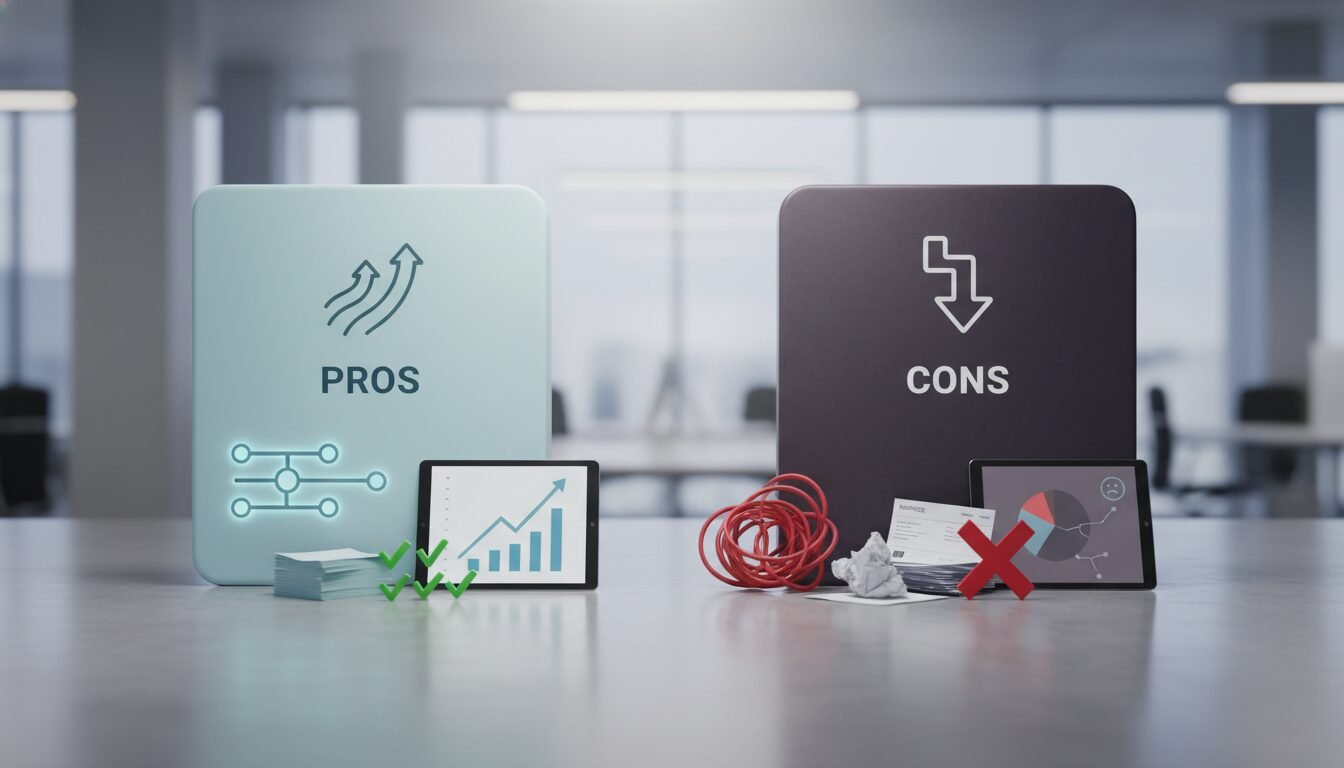
Pros
- Massive time savings: Reduce manual work by 10-15 hours per staff member weekly
- Improved accuracy: Cut error rates by 70-80% through automated validations
- Real-time visibility: Access instant financial dashboards and reporting
- Scalable growth: Handle 20-30% more clients without adding staff
- Higher-value services: Shift from compliance to strategic advisory work
Cons
- Initial investment: Software costs range from $50-500+ per user monthly
- Learning curve: Staff need training and time to adapt to new systems
- Integration challenges: Connecting multiple platforms can be complex
- Change resistance: Team members may fear job displacement
- Ongoing maintenance: Systems require updates and optimization
Key Benefits of Automating Your Accounting Workflows

The benefits extend far beyond time savings. Here’s how accounting workflow transforms firm performance.
Time Savings and Efficiency Gains
Automating repetitive tasks such as data entry, reconciliation, and follow-up emails saves 10-15 hours per staff per week. This reclaimed time can be redirected to advisory services, which clients value at 2-3 times the hourly rate of compliance work.
Improved Accuracy and Compliance
Automated validations and real-time error checks reduce correction time by 70-80%. Built-in audit trails and standardized workflows also simplify compliance with standards like SOC 2 and ISO 27001, lowering risk during regulatory reviews.
Real-Time Financial Visibility
Dashboards updated through automated data feeds give firm owners instant insight into cash flow, WIP, and profitability. This visibility allows proactive management rather than reactive firefighting, improving decision speed by 50% according to users of platforms like Karbon and Xenett.
Step-by-Step: How to Implement Accounting Workflow Automation
Implementing accounting workflow automation requires a structured approach to avoid chaos. Follow these six proven steps that I’ve refined through multiple implementations.
Step 1: Audit Your Current Processes
Map every workflow in your firm, from client onboarding to tax filing, and identify bottlenecks, manual handoffs, and error-prone steps. Use process mapping tools or simply a whiteboard to visualize where time is being wasted. Most firms discover that 30% of their steps add no value and can be eliminated.
Step 2: Prioritize High-Impact Workflows
Not all processes are equal. Focus first on high-volume, repetitive tasks that drain resources. According to a framework from Xenett, the 10 highest-impact workflows include reconciliation, accounts payable, month-end close, and client document collection. Starting here delivers the quickest ROI.
Step 3: Select the Right Automation Software
Choose a platform that integrates with your existing tech stack (QuickBooks, Xero, CCH Axcess) and offers customizable templates. Look for features like automated task assignments, deadline tracking, and client-facing portals. The comparison table below details top options for accounting workflow automation.
Step 4: Map and Automate the Workflow
Using your chosen tool, reconstruct the process with automated triggers: when a document is uploaded, the system assigns the next task, sends notifications, and updates statuses. Avoid the temptation to replicate the old manual process exactly, reengineer for efficiency.
Step 5: Test, Train, and Iterate
Roll out the automated workflow to a small group of staff and clients. Collect feedback, fix pain points, and then train the full team. Regular check-ins during the first 30 days are critical; many firms schedule weekly huddles to address questions and refine the process.
Step 6: Measure and Optimize
Track metrics like turnaround time, error count, and client satisfaction scores. Compare pre- and post-automation numbers to quantify ROI. Use this data to continuously improve and justify expansion to other workstreams.
Software Comparison: Choosing the Right Tool
Selecting appropriate accounting workflow automation software can be overwhelming. The table below compares popular platforms based on features and typical use cases. All details are current as of 2026.
| Software | Best For | Key Features | Pricing Model |
|---|---|---|---|
| Karbon | Collaborative teams needing a unified work hub | Email integration, client task management, automated reminders, capacity planning | Per-user, monthly or annual plans |
| TaxDome | Firms wanting a client portal w/ workflow | Encrypted portal, pipeline management, auto-reminders, integrated payments | Per-user, with tiered plans based on features |
| Canopy | Tax and accounting firm project management | Document management, time tracking, customizable workflows, OCR scanning | Per-user, add-ons for advanced modules |
| Xenett | Firms needing AI-powered review automation | Anomaly detection, auto-reconciliation, close checklist, client communication | Custom pricing per firm, demo required |
| HubiFi | Finance teams in growing companies | Real-time financial data, automated reporting, integration with ERPs | Subscription based on revenue tier |
When evaluating tools, prioritize those that deliver the 8 core benefits of accounting workflow automation including time savings, error reduction, and improved margins, mirroring the framework used by top firms.
Month-End Close Automation: The Game Changer
Month-end close represents one of the highest-impact areas for accounting workflow automation. Tools like FloQast and BlackLine have revolutionized this traditionally painful process, reducing close times from weeks to days.
These specialized platforms automate reconciliation matching, variance analysis, and close checklists. They integrate directly with your ERP system, pulling data automatically and flagging exceptions for review. The result? A 60-70% reduction in close time and significantly fewer errors.
From Historian to Strategist: Redefining Your Firm’s Value Proposition
One unique angle that separates leaders from laggards is how they use freed capacity. Accounting workflow automation isn’t just about efficiency, it’s about reinventing client relationships.
Freeing Capacity for High-Value Advisory
When routine tasks shrink from hours to minutes, accountants can offer CFO-level services: cash flow forecasting, business performance analysis, and growth consulting. Firms that have adopted this model report a 25-40% increase in average client revenue.
Data-Driven Client Insights
Automated reporting generates visual dashboards that spark strategic conversations. Instead of handing a client a tax return, you present trends, anomalies, and opportunities, transforming the annual meeting into a quarterly business review.
Choosing Automation That Scales: APIs vs. No-Code
As your firm grows, accounting workflow automation must scale without breaking. Two technical approaches dominate: API-driven integrations and no-code builders. Understanding the difference prevents costly missteps.
Integration Through APIs
Application Programming Interfaces (APIs) connect platforms directly, enabling seamless data flow between your workflow software and accounting tools like QuickBooks Online or CCH Axcess. This method is ideal for high-volume transactions and complex data transformations, lowering manual imports by 90%.
No-Code Workflow Builders
No-code tools (e.g., Zapier, built-in automation in ClickUp) allow non-technical staff to create automations using drag-and-drop interfaces. These are perfect for simple trigger-action sequences, such as sending a welcome email when a client signs a document.
When to Use Which Approach
For mission-critical workflows involving sensitive financial data, prioritize API-based solutions with robust security. For lightweight, departmental processes, no-code offers speed and flexibility. The best firms combine both, using no-code for front-end requests and APIs for back-end data sync.
Security and Compliance Considerations
When implementing accounting workflow automation, security cannot be an afterthought. Financial data requires the highest protection standards, and automated systems must maintain compliance with regulations like SOX, GDPR, and industry-specific requirements.
Look for platforms that offer SOC 2 Type II certification, end-to-end encryption, and detailed audit trails. Multi-factor authentication and role-based access controls are non-negotiable. The best accounting workflow automation tools also provide compliance reporting features that simplify regulatory reviews.
Overcoming Resistance to Change in Your Firm
Buying software is easy; getting people to use it is hard. Successful adoption of accounting workflow automation requires addressing psychological barriers alongside technical ones.
Building a Culture of Innovation
Start by involving staff in the selection process and showcasing how automation removes drudgery, not jobs. When team members see a 30% reduction in repetitive work, anxiety transforms into enthusiasm. Regular training sessions and celebrating wins accelerate cultural buy-in.
Addressing Job Security Fears
Share data showing that accounting workflow automation does not necessarily replace jobs but changes them. The Oxford University report that cites 99% automation probability for tax preparers also highlights that roles evolve; accountants who upskill into advisory enjoy higher pay and greater job satisfaction.
“A report by Oxford University concluded that there was a 99% chance that tax preparers’ jobs would be automated and a 98% chance that it will happen to bookkeepers and accountants.”
Measuring the Impact of Automation on Your Firm
Without metrics, you can’t justify the investment in accounting workflow automation. Establish clear KPIs from day one.
Key Metrics: Time, Error Rate, Client Turnaround
Track the average completion time for key workflows before and after implementing accounting workflow automation. Monitor error rates in data entry and reconciliation, and survey clients on satisfaction. Firms typically see a 50% drop in turnaround time within the first 90 days of implementation.
Calculating ROI: A Simple Formula
ROI = (Hours saved × Average billable rate) / Cost of software and implementation. For example, saving 10 hours per week across a team at $200/hr yields $2,000 weekly, covering most software costs within a month. Beyond hard dollars, factor in improved client retention and new advisory revenue.
Connect with Amin to discuss AI strategy for your business.
Frequently Asked Questions
What is accounting workflow automation?
Accounting workflow automation is the use of software to sequence, trigger, and monitor accounting tasks without manual intervention. It connects people, data, and deadlines to increase efficiency and reduce errors.
Is it possible to fully automate accounting?
While many routine tasks can be automated, human judgment remains essential for complex analysis, advisory, and regulatory interpretation. Automation handles the repetitive, leaving accountants to focus on high-value decisions.
What are the first workflows to automate?
Start with client onboarding, accounts payable/receivable, bank reconciliation, and month-end close. These processes are rule-based, high-volume, and deliver immediate time savings.
How much does workflow automation software cost?
Pricing varies widely, from $50 per user per month for basic tools to custom enterprise plans exceeding $500 per month. Most firms find that the ROI from saved hours pays for the software multiple times over.
Can automation work with my existing accounting software?
Yes, most modern platforms integrate with popular software like QuickBooks, Xero, and CCH Axcess. Always verify API compatibility before purchasing.
How do I get my team to adopt automation?
Involve them early, provide clear training, and highlight how automation eliminates the worst parts of their work. Lead by example and celebrate quick wins to build momentum.
Enjoyed this article?
Connect with me for collaboration, ventures, or just a good conversation about building things.
Get in Touch